Own product · Web app from A to Z
ReloCrate
A web app born from my own move: every box gets a QR label, every item an entry – and AI takes over the tedious data entry. Idea, concept, design, development and operations, all by me.
- Role
- Concept, UX/UI, development
- Period
- 2026
- Platform
- Web app for phone & desktop
- Team
- Solo project (PixelCraft)
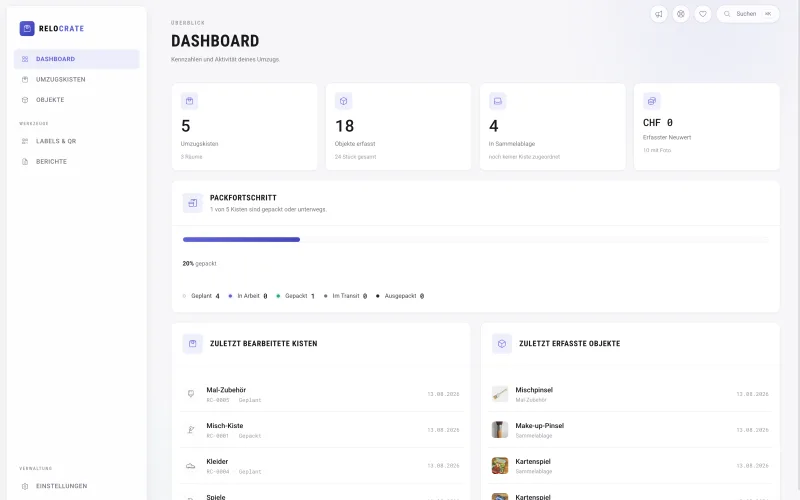
- < 2 Minfrom sign-up to the first box
- 4steps from box chaos to a sorted home
- 1 QRper box – scan instead of search
- CHF 0free, funded by donations
Context
Nobody should have to tear open eight boxes to find the coffee machine.
The box says “kitchen”, but anything could be inside. Existing inventory apps are either built for warehouses or expect you to type in every item by hand – which is exactly where people give up after three boxes.
So the question wasn’t “how do you record an inventory?” but “how do you make it so easy that people actually do it in the middle of packing?”
Design decisions
Five decisions that shape the product.
-
Labels before content
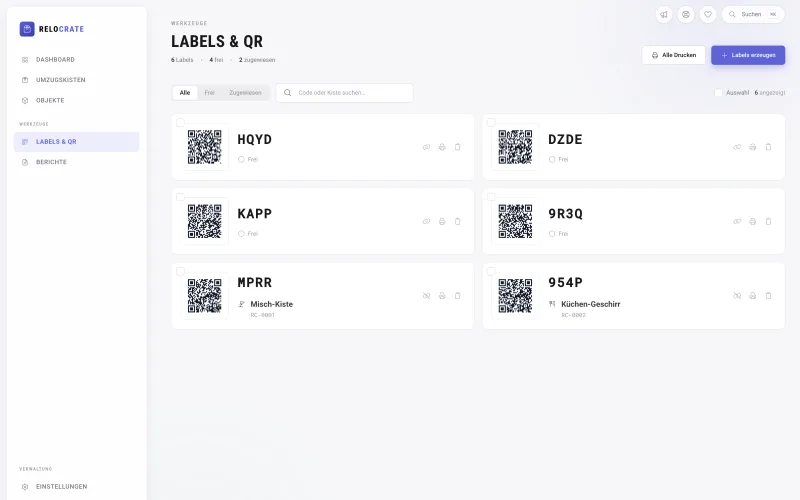
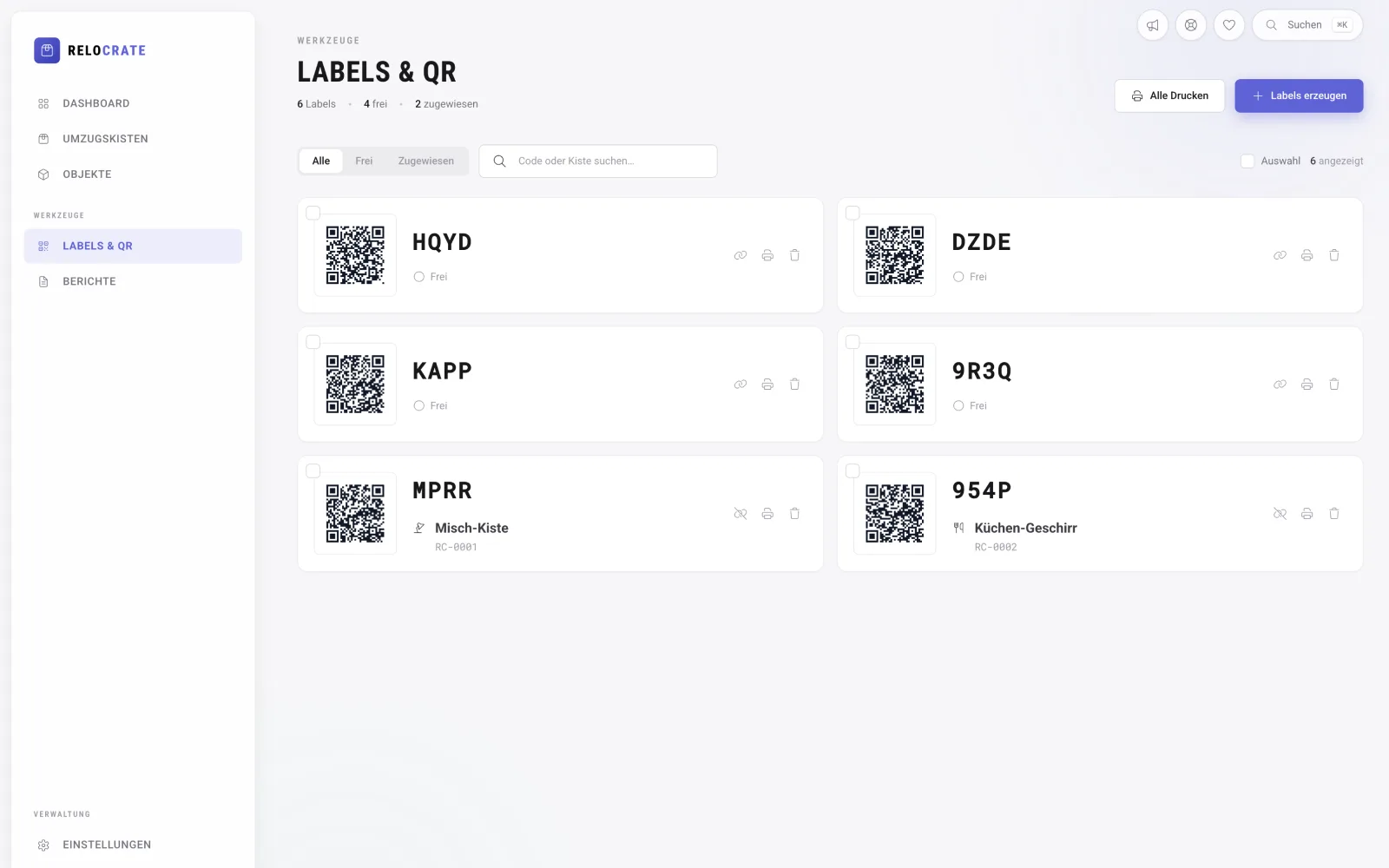
When packing you often don’t know yet what goes into a box. So QR labels can be printed and stuck on in advance; the first scan links a label to a box.
-
Data entry shouldn’t be work
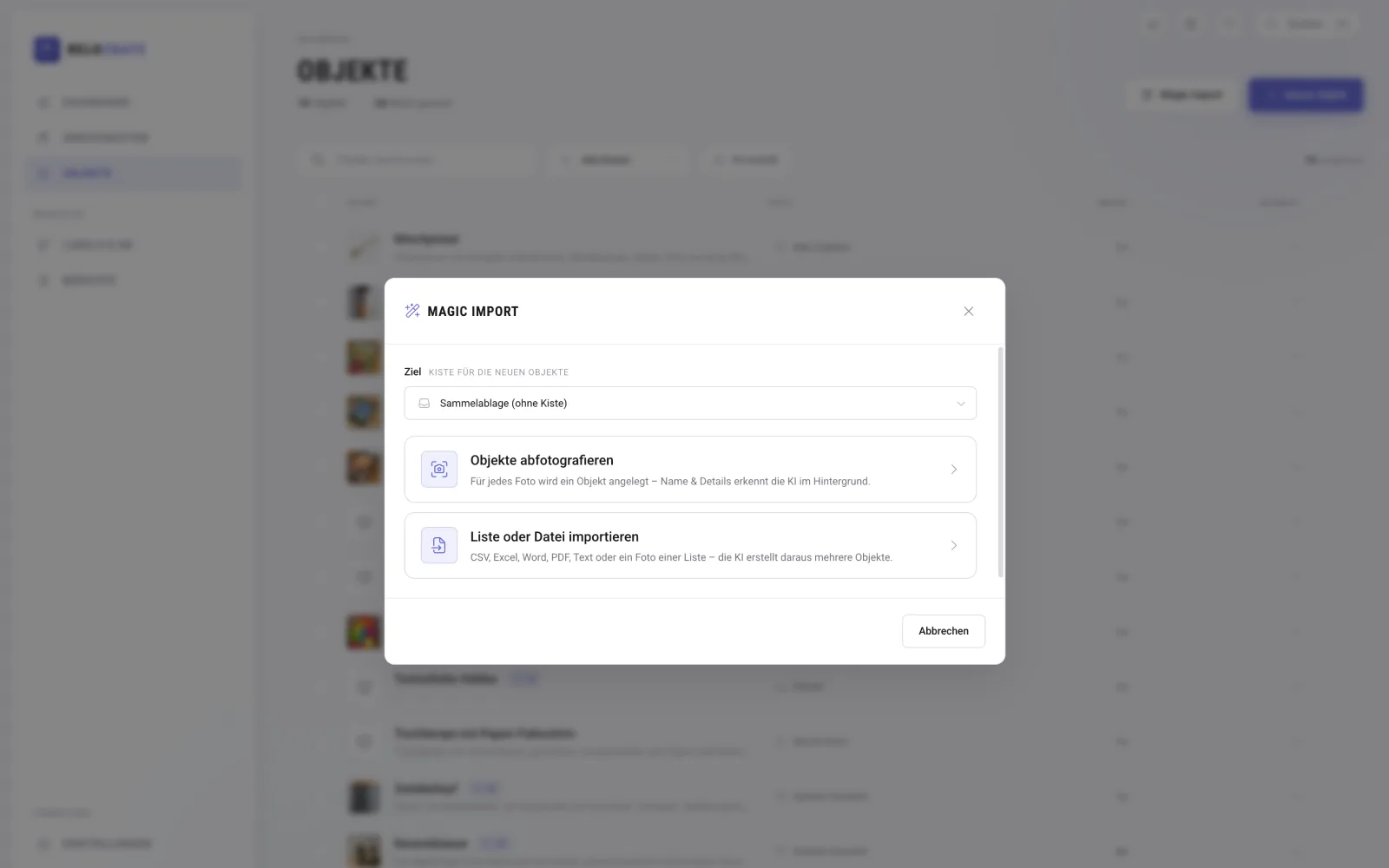
Photo instead of form: image recognition suggests name, description and quantity and runs in the background while you keep packing. Existing lists are taken over by Magic Import from CSV, Excel, PDF or a screenshot.
-
Find, don’t search
One global search across boxes and items, with automatically generated synonyms: search for “bowl” and you’ll also find the “dish”.
-
No app store needed
A web app with a built-in scanner that works right away on an iPhone, too. Standing at a stack of boxes, every step saved counts.
-
Privacy by default
Scanning a QR code without logging in is off by default and can be enabled on purpose, for example for the moving company.
How it works
Four steps from box chaos to a sorted home.
Print labels
Generate QR labels with a unique short code and stick them on – before you even know what goes in the box.
Add items
Type, take a photo or import whole lists. AI does the rest.
Assign boxes
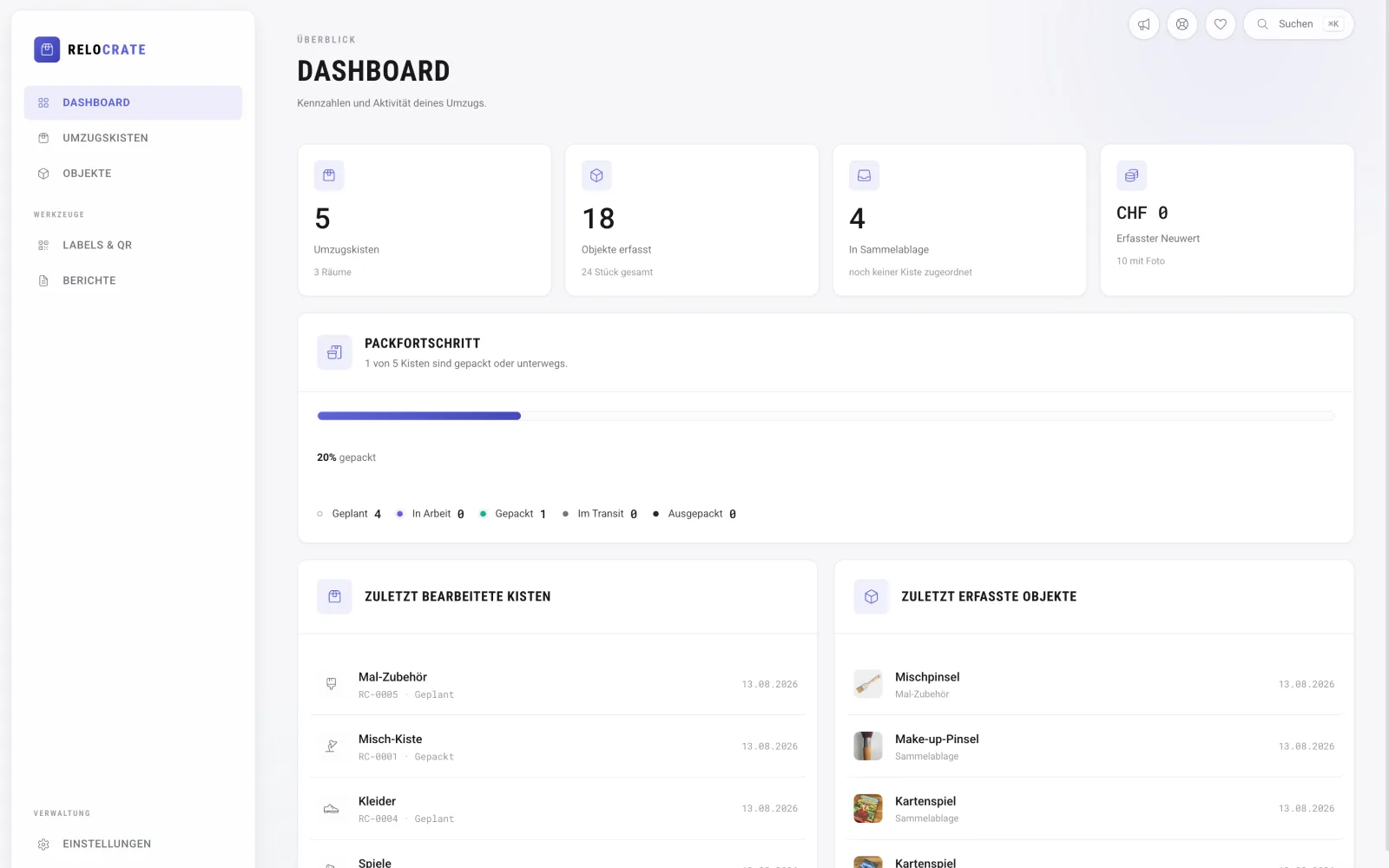
Move items with multi-select, set the room and track status from planned to delivered.
Scan & find
Scan at the new place and instantly see what’s inside. Finally export the inventory, for example for insurance.
Status & learnings
Owning design and code shortens the path to insight.
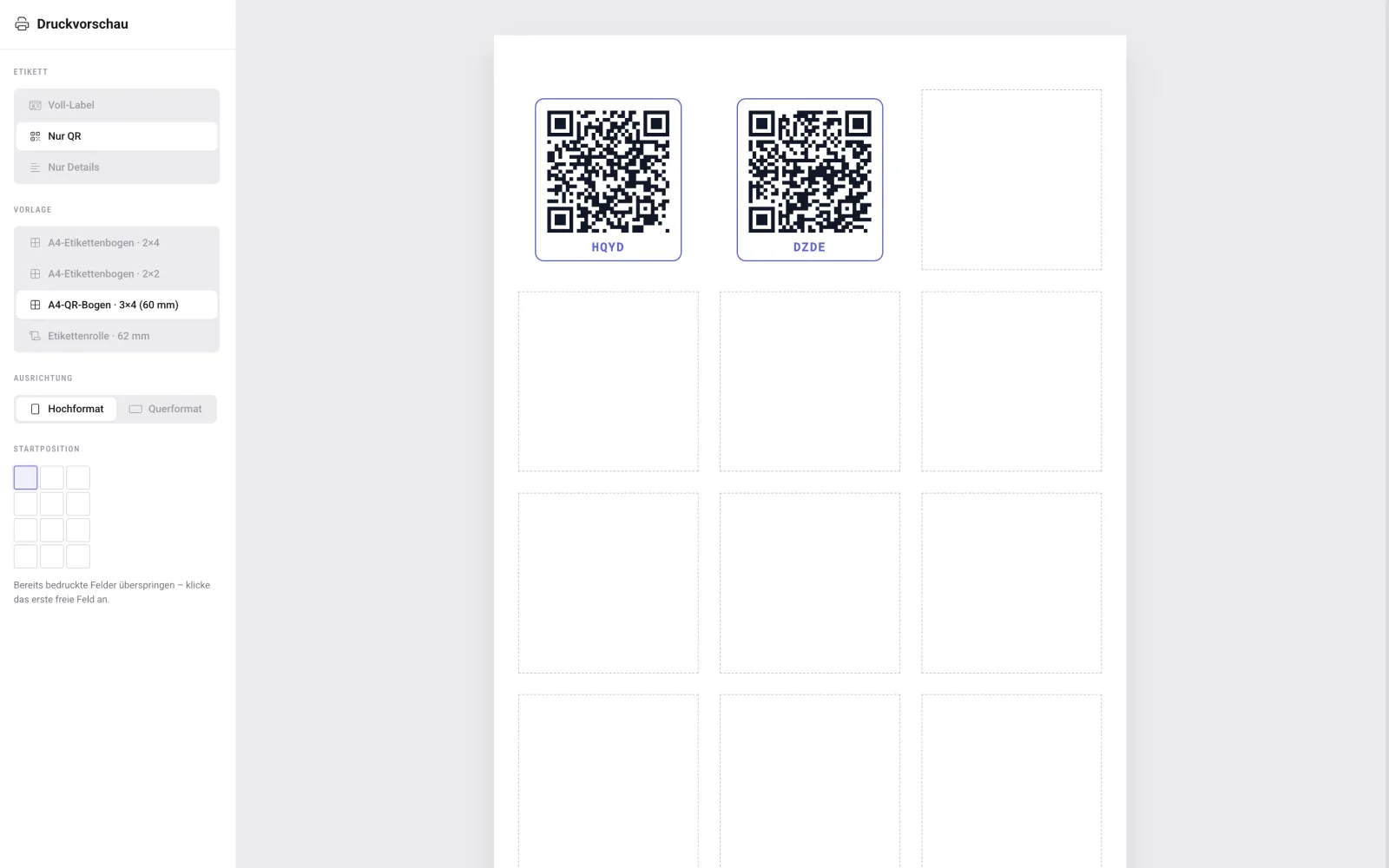
ReloCrate is live as a public test version and free to use. Because I design and build it myself, I can try ideas with real users on the same day – and details like the label start position come straight from observed problems.
Next up are plans for frequent movers and professionals: multiple moves, teams and custom label templates.